


NetShort - Popular Dramas & TV
4.745.18K Reviews
App Specs
- Version
- 2.3.3
- Updated On
- License
- Free
- Downloads
- 100,000,000+
- Developer
- NETSTORY PTE. LTD.
- Categories
- Entertainment
- Platform
- Android, iOS
Screenshots
 Analysis by AppCompare
I tend to reach for short-drama apps when I have a little time to fill, not when I want to plan an entire evening around a film. NetShort is built for that kind of casual viewing: its focus is dramatic, episodic video that’s easy to dip into. I’d consider it when I want a quick story on my phone, while keeping in mind that it is a specialist entertainment app rather than a replacement for every kind of streaming service.
Where viewers can get stuck
The first hurdle with any focused video app is often choosing what to watch. A short episode can sound like an easy commitment, but a dramatic cliffhanger can make it tempting to keep going. I’d open the app with a rough idea of how much time I have, then pick a series that suits that window instead of browsing indefinitely. That small habit makes the format feel like a convenient break rather than an accidental marathon.
It also helps to separate “I want something quick” from “I want a particular title.” If I know the mood I’m after, browsing categories is more useful than expecting the app to behave like a search engine for every show I have heard about elsewhere. Recommendations can help once I’ve watched a little, but they are suggestions, not a guarantee that the next pick will match my taste.
Setup checks before pressing play
Before blaming playback, I’d check the basics: confirm that the phone has a working connection, try a different network if one is available, and close and reopen the app if it seems stuck. Video streaming depends on the connection as well as the app, so a pause or a soft-looking picture does not automatically mean something is wrong with NetShort. Keeping the app current is also a sensible first step if a problem appears repeatedly.
The app is free to install, but that does not mean every part of the experience is necessarily free. There are in-app purchases, with individual items listed from under a dollar to prices reaching hundreds of dollars. I’d review any purchase screen carefully before confirming anything, especially if someone else uses the device. The Teen age rating is another practical detail for households: it’s worth deciding whether the app’s dramatic stories suit the person who will be watching.
Recovering a viewing session
If an episode stops unexpectedly, I would first wait briefly and see whether playback resumes, then check the connection and reopen the app. If the same title continues to fail while other video works normally, trying it again later can help distinguish a temporary playback issue from a broader problem with the phone’s connection. Avoid repeatedly tapping purchase or download controls while the app is unresponsive; first make sure the screen has recovered and check what action actually completed.
For a commute or another stretch with unreliable service, downloading an episode in advance is a more dependable plan than assuming streaming will work everywhere. I’d do that while connected to a stable network and check that the download is ready before leaving. Offline viewing is useful, but it still takes a little preparation; it is not a fix for a download that never finished.
Worth Reading Before You Choose

Switching to Android Auto Means Rethinking Your Driving Routine

Google Calendar Makes a Crowded Week Easier to Manage

Baby Panda World Brings Quick Play to Modern Phones, but Its Game Library Feels Busy

ESPN’s Live Game View Makes Following Close Games Easier

QuizzLand Review: A Good Fit for Short Trivia Breaks, Not Every Player

Basketball Stars: Multiplayer Is Fast, but Can It Recover When Matches Go Wrong?
All About the Shows
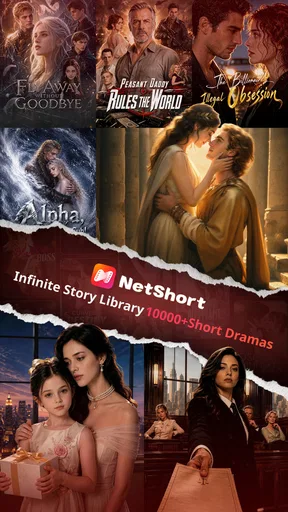
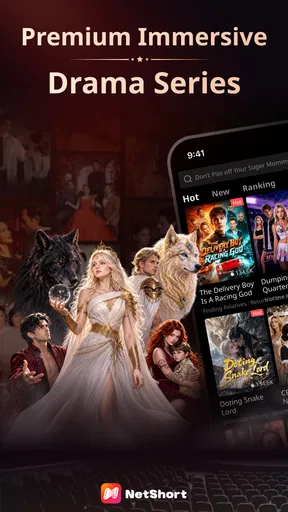
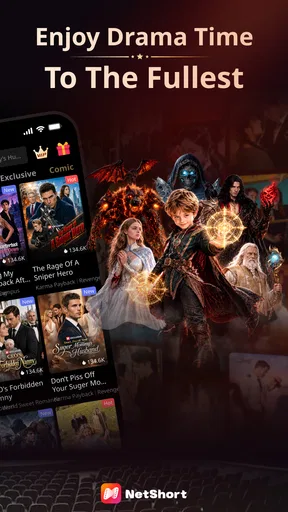
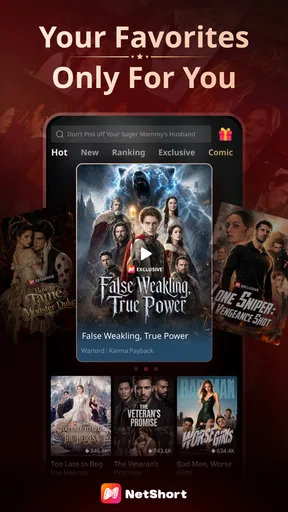
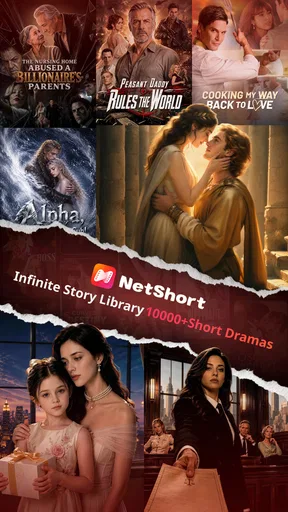
So, here's the scoop: NetShort has a pretty impressive collection of dramas and TV shows. Whether you’re into heart-pounding thrillers or light-hearted comedies, there’s something here for everyone. I was pleasantly surprised to find some of the trending shows that everyone’s been raving about. It’s like having a mini TV library in the palm of your hand.
The app layout is clean and user-friendly. Even if you’re not tech-savvy, you’ll find it super easy to navigate. The shows are categorized neatly, so you won’t have to spend ages searching for what you want to watch. Just a couple of taps, and boom, you’re ready to dive into the drama!
Streaming Quality
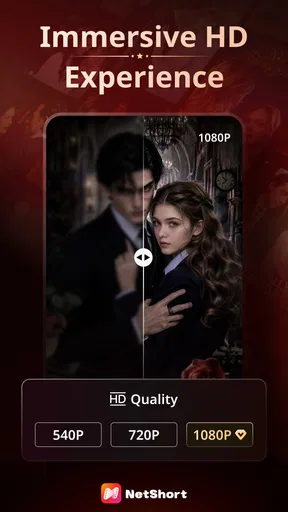
Now, let’s talk about streaming quality. Nobody likes buffering, right? Well, I tested the app on both Wi-Fi and mobile data, and I gotta say, the streaming was pretty smooth. The video quality adjusts according to your internet speed, ensuring that you get the best possible experience without those annoying interruptions. Trust me, nothing ruins a cliffhanger more than a loading screen.
Features That Stand Out
One of the features I found particularly handy is the personalized recommendations. After watching a couple of episodes, the app starts suggesting shows that you might like based on your viewing habits. It’s like having your own personal TV guide!
Oh, and did I mention the offline viewing option? Yes, you can download episodes and watch them later, which is perfect for those long commutes or when you’re off the grid.
What Could Be Better?
While NetShort does a lot right, there are a couple of areas where it could improve. For one, some users might find the ads a bit intrusive. There’s the option to go ad-free with a premium subscription, but it would be nice if the free version had fewer interruptions.
Another thing is the lack of subtitles in multiple languages. For an app showcasing international content, having multilingual subtitles would be a huge plus. Fingers crossed they roll this out in future updates!
Who will get the most from it?
I think the best fit is someone who enjoys dramatic stories in compact sessions and is happy to let a series unfold episode by episode. It can work well during a lunch break, while waiting for an appointment, or during a quiet moment at home when a full-length film feels like too much commitment. A realistic routine would be to choose an episode before a short break, watch it, and stop there rather than letting the next recommendation decide how long the break lasts.
It is less suitable if your main goal is a broad catalogue of films, live television, or a single place to manage every kind of video. A general streaming service may suit those needs better. Likewise, viewers who need subtitles in a particular language should check that the available presentation works for them before settling into a series. I would not assume that every show will offer the same language options.
How it fits beside other viewing options
Compared with scrolling through social-video feeds, NetShort gives me a more story-led reason to keep watching: the appeal is following a drama rather than jumping between unrelated clips. Compared with traditional television or a film service, the short-episode approach is easier to fit into spare minutes, but it may not provide the breadth or relaxed pacing someone wants for a long viewing session. The trade-off is clear: it is a focused choice for serialized drama, not an all-purpose replacement.
That distinction also helps with choosing between it and a conventional series on a larger screen. If I want to settle in for a long, uninterrupted episode, I would probably choose a service designed around that kind of viewing. If I have a few spare minutes and want a plot to pick up quickly, the short format is more convenient. The right option depends less on which app is universally better and more on how much time and attention I have at that moment.
A few useful habits
To make recommendations more useful, I would watch enough of a series to establish the kinds of stories I actually enjoy before judging the suggestions. If I keep switching after a few moments, the app has less of a chance to reflect a consistent preference. I’d also treat recommendations as a starting point, not a queue I need to follow; browsing by mood can be a better way to avoid repeating the same kind of drama.
For mobile viewing, I’d decide in advance whether I’m streaming or saving an episode for later. Downloading on a reliable connection can reduce dependence on mobile reception during travel, while streaming is simpler when I’m already on steady Wi-Fi. If playback becomes unreliable, I’d test another title and network before concluding that the whole service is unavailable. These checks are small, but they can prevent a temporary connection problem from turning into a frustrating evening.
What to expect from the service
NetShort is an entertainment app from NETSTORY PTE. LTD. It has a 3.7 average from around 927,000 ratings, and has been installed over 10 million times. That reach suggests plenty of people have tried it, though popularity does not tell me whether its particular stories will suit my taste. I’d use the first few viewing sessions to decide that for myself rather than treating the rating as a promise.
The app is free, with in-app purchases, and its current version is 2.0.7. It was released on July 22, 2024, and requires Android 8.0 or later. For someone comparing options, those details are useful for checking basic compatibility and understanding that optional spending can be part of the experience. I’d keep an eye on any on-screen purchase prompt and make a deliberate choice rather than assuming that installing a free app means every viewing path has no cost.
When the problem may be elsewhere
If one episode buffers but other apps also struggle to load video, the connection is a more likely place to start than the show catalogue. If only one title is affected, I’d try again later and avoid changing several settings at once; making one simple check at a time makes it easier to tell what helped. Restarting the app is a reasonable general step, but repeatedly reinstalling it or clearing information without a clear reason can create extra work without fixing a network issue.
There is also a difference between playback trouble and a mismatch in expectations. A viewer looking for long-form television, extensive language choices, or a completely interruption-free experience may find the format or presentation frustrating even when the app is working as intended. In that case, switching to a service built around those needs is more practical than trying to troubleshoot a preference.
My practical verdict
In a nutshell, if you’re on the lookout for an app that offers a diverse range of dramas and TV shows, NetShort - Popular Dramas & TV is definitely worth a shot. With its vast content library and intuitive interface, it’s a solid choice for any drama enthusiast. Just be prepared to dodge a few ads unless you’re willing to pay for a smoother experience.
So, what are you waiting for? Grab some popcorn, get comfy, and let NetShort entertain you!
Pros
- Wide variety of popular dramas available.
- User-friendly interface for easy navigation.
- High-quality streaming with minimal buffering.
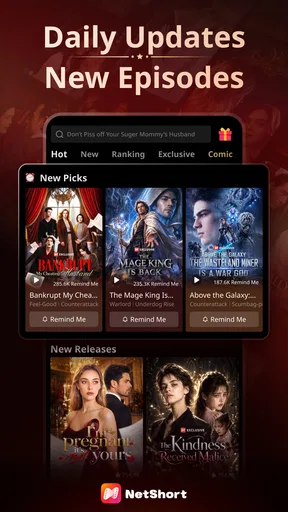
- Regular updates with new content.
- Option to download for offline viewing.
Cons
- Limited subtitle options for non-English shows.
- Requires stable internet for best experience.
- Contains ads in free version.
- No parental controls for mature content.
- Some regions may have limited access.
FAQs for NetShort - Popular Dramas & TV
What is NetShort - Popular Dramas & TV?
NetShort is an app that offers a curated collection of popular dramas and TV shows. It provides users with easy access to a wide range of content, including trending series and classic favorites. The app is designed to deliver high-quality streaming with minimal buffering, ensuring a smooth viewing experience.
Is NetShort available for both Android and iOS devices?
Yes, NetShort is available for download on both Android and iOS platforms. Users can find the app on the Google Play Store for Android devices and the Apple App Store for iOS devices. This ensures that a wide range of smartphone users can enjoy the app's features and content.
Does NetShort offer offline viewing options?
NetShort provides an offline viewing feature that allows users to download their favorite shows and watch them without an internet connection. This is particularly useful for users who want to enjoy content on the go, without worrying about data usage or connectivity issues.
Are there subscription fees or in-app purchases in NetShort?
NetShort operates on a subscription model, requiring users to sign up for a plan to access its full range of content. While the app offers some free content, unlocking premium shows and features may require in-app purchases or a monthly subscription fee. Pricing details are available within the app.
How does NetShort ensure content quality and variety?
NetShort partners with major networks and content creators to provide a diverse library of high-quality dramas and TV shows. The app frequently updates its catalog to include the latest releases and trending shows, ensuring users have access to fresh and engaging content at all times.


